Explore Smart Classroom Displays: Basics, Features, and Key Insights
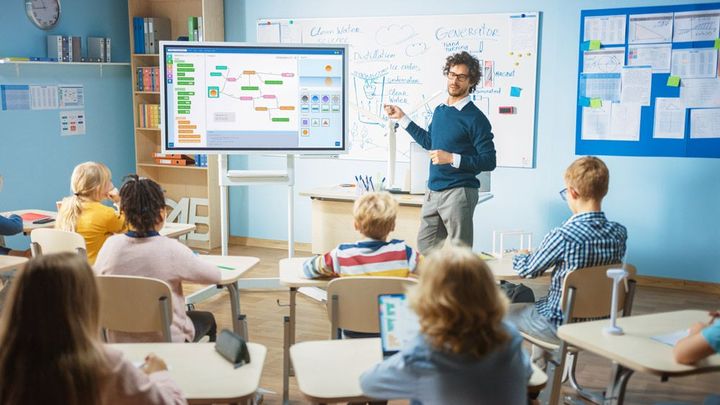
Smart classroom displays are large-format digital screens designed for learning environments. They combine visual presentation, touch interaction, and connectivity to support teaching and learning activities. Unlike traditional boards or simple projectors, these displays integrate hardware and software to show content clearly, respond to touch or stylus input, and connect with computers and learning platforms.
The concept exists to address the changing nature of education. Classrooms now 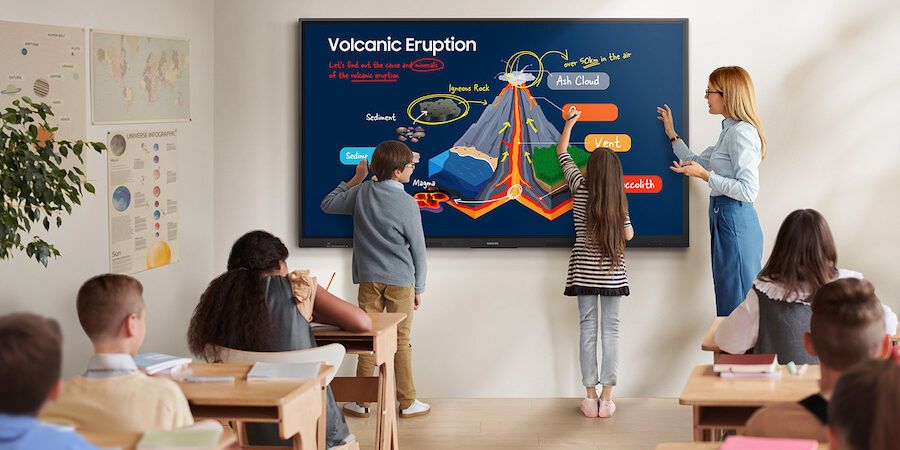 rely on multimedia content, collaborative learning, and remote or hybrid participation. Smart classroom technology supports these needs by enabling dynamic lessons, real-time annotation, and shared viewing experiences. As digital literacy becomes essential, these displays act as a central interface for modern instruction.
Importance
Smart classroom displays matter because they influence how information is delivered and understood. They affect teachers, students, administrators, and institutions by reshaping classroom interaction and engagement.
Key reasons this topic is important include:
-
Improved clarity of instruction through high-resolution visuals and readable text
-
Interactive learning that encourages participation rather than passive listening
-
Support for diverse learning styles, including visual and collaborative approaches
-
Integration with digital resources such as presentations, documents, and learning platforms
-
Accessibility features like zoom, contrast adjustment, and assistive tools
These displays help solve common classroom challenges such as limited visibility, lack of engagement, and difficulty sharing digital content. They also support continuity of learning when lessons involve remote participation or recorded materials.
Recent Updates
In recent months, smart classroom displays have seen notable developments driven by educational needs and technology progress. Display panels now commonly include higher brightness levels and improved anti-glare coatings, making them suitable for rooms with varied lighting conditions.
Another recent trend is the deeper integration of wireless screen sharing. Teachers and students can connect devices without cables, reducing setup time and classroom disruption. Touch responsiveness has also improved, allowing multiple users to interact simultaneously, which supports group activities.
Software updates have focused on:
-
Built-in whiteboard applications with cloud synchronization
-
Compatibility with common document formats
-
Enhanced security features for classroom networks
These updates reflect a broader movement toward flexible and resilient learning environments that can adapt to different teaching methods.
Laws or Policies
Smart classroom displays are influenced by general education and digital governance frameworks rather than device-specific rules. Educational policies often emphasize digital inclusion, data protection, and accessibility. As a result, institutions are encouraged to use technologies that protect student information and support inclusive learning.
Regulatory guidance related to:
-
Data privacy affects how classroom software handles user information
-
Accessibility standards influence display design and software features
-
Educational technology programs promote responsible and effective digital adoption
Such frameworks guide institutions in selecting and using smart classroom technology in a way that aligns with educational goals and ethical practices.
Tools and Resources
Several tools and resources support the effective use of smart classroom displays. These are not commercial endorsements but examples of commonly used categories.
Teaching and presentation tools
-
Digital whiteboard applications for annotation and brainstorming
-
Slide and document viewers optimized for large displays
-
Screen mirroring utilities for laptops and tablets
Learning management support
-
Platforms that sync lesson materials to classroom screens
-
Attendance and participation tracking tools
-
Cloud storage services for lesson resources
Planning and evaluation resources
-
Classroom layout templates for display placement
-
Accessibility checklists for digital lessons
-
User guides and training materials for educators
The table below summarizes common feature categories and their educational purpose:
| Feature Category | Purpose in Learning |
|---|---|
| Touch Interaction | Encourages participation and collaboration |
| High-Resolution Display | Improves readability and visual comprehension |
| Wireless Connectivity | Simplifies device sharing |
| Integrated Software | Supports lesson planning and delivery |
Common Features Explained
Smart classroom displays typically include a combination of hardware and software elements. Understanding these basics helps educators and planners make informed decisions.
Display quality
-
Resolution designed for clear text and graphics
-
Wide viewing angles for large classrooms
-
Anti-reflection surfaces
Interaction methods
-
Finger and stylus touch input
-
Multi-user interaction support
-
On-screen annotation tools
Connectivity
-
Ports for computers and document cameras
-
Wireless sharing from multiple devices
-
Network integration for updates and content access
FAQs
What is a smart classroom display?
A smart classroom display is an interactive digital screen used in educational spaces to present content, enable touch-based interaction, and connect with teaching software and devices.
How is it different from a traditional projector?
Unlike projectors, smart displays provide built-in interaction, higher brightness, and clearer images without relying on external projection surfaces.
Who benefits most from using these displays?
Teachers benefit from flexible lesson delivery, while students benefit from interactive and visually rich learning experiences.
Are smart classroom displays suitable for all subjects?
Yes, they are used across subjects such as science, mathematics, languages, and arts because they support varied content types.
Do these displays require special training?
Basic use is intuitive, though short orientation sessions help educators take full advantage of advanced features.
Conclusion
Smart classroom displays represent a shift toward interactive and technology-supported education. They exist to meet the demands of modern teaching, where digital content, collaboration, and accessibility are essential. By improving visibility, engagement, and flexibility, these displays address long-standing classroom challenges.
Ongoing updates in display quality, connectivity, and software continue to refine their role in education. Guided by educational policies and digital standards, smart classroom technology supports inclusive and effective learning environments. Understanding their features and context helps educators and institutions use them thoughtfully and responsibly.