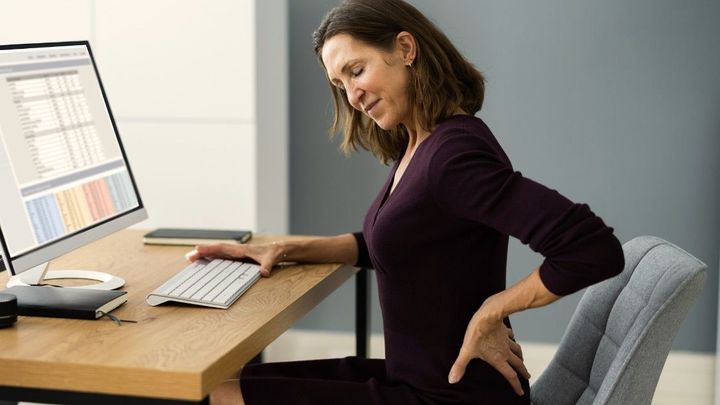
Explore Workplace Ergonomics: A Complete Guide with Basics, Facts, and Helpful Information
Workplace ergonomics focuses on designing work environments that fit the physical and cognitive needs of people. It looks at how desks, chairs, screens, tools, lighting, and daily tasks interact with the human body. The core idea is simple: when workspaces match human capabilities, people can work more comfortably, safely, and efficiently.
The concept exists because many work-related discomforts and injuries develop gradually. Long hours of sitting, repetitive movements, poor posture, and poorly adjusted equipment can place stress on muscles, joints, eyes, and the nervous system. Ergonomics emerged as a practical discipline to reduce these stresses by aligning work design with human anatomy and behavior.

Modern workplace ergonomics applies to offices, factories, laboratories, healthcare settings, and remote work environments. It combines knowledge from physiology, psychology, and design to support healthier daily work routines.
Importance: Why Workplace Ergonomics Matters
Workplace ergonomics matters because work habits have changed significantly. More people spend extended time at desks, using computers or performing repetitive tasks. These conditions affect physical comfort, concentration, and long-term well-being.
Key reasons this topic is important include:
-
Physical health protection: Ergonomic design helps reduce musculoskeletal strain affecting the neck, shoulders, back, wrists, and eyes.
-
Daily comfort and focus: Proper posture and equipment alignment support sustained attention and reduced fatigue.
-
Risk awareness: Ergonomic assessment identifies early signs of repetitive strain and posture-related issues.
-
Broad impact: Office workers, industrial staff, students, and remote professionals are all affected.
Common problems addressed by workplace ergonomics include persistent back discomfort, wrist strain, neck stiffness, visual fatigue, and reduced mobility. By addressing these issues at the design level, ergonomics supports healthier work patterns over time.
Recent Updates: Trends and Developments
In recent months, workplace ergonomics has continued to evolve in response to changing work styles. Hybrid and remote work models have increased attention on home-based ergonomic setups. Guidance now emphasizes adaptability, encouraging adjustable furniture and flexible layouts that support different body types and tasks.
Another noticeable trend is the integration of digital ergonomics tools. Software-based posture reminders, screen-time tracking, and ergonomic risk assessment platforms are being used to raise awareness about daily habits. Wearable posture sensors and smart desks are also gaining attention as data-driven approaches to movement and alignment.
There is also growing recognition of cognitive ergonomics. This area focuses on mental workload, screen information design, and reducing distractions to support clarity and reduced mental fatigue. Together, these updates reflect a shift toward holistic ergonomics that considers both physical and mental demands of modern work.
Laws or Policies: General Regulatory Influence
Workplace ergonomics is influenced by occupational safety and health frameworks that encourage safe and healthy working conditions. These frameworks typically emphasize risk identification, preventive design, and worker awareness. Rather than prescribing one fixed setup, guidelines usually focus on adapting workstations to individual needs.
Organizations are often encouraged to conduct ergonomic risk assessments, provide training on posture and movement, and adjust work processes to reduce strain. These principles apply across many sectors and are commonly embedded within broader workplace health and safety policies.
The regulatory approach generally supports prevention, education, and continuous improvement, making ergonomics a shared responsibility between organizations and individuals.
Tools and Resources: Practical Ergonomic Support
A wide range of tools and resources help apply workplace ergonomics in everyday settings. These resources focus on assessment, adjustment, and awareness.
Helpful options include:
-
Ergonomic assessment checklists for workstation evaluation
-
Posture analysis software using camera-based feedback
-
Desk and chair adjustment guides with visual references
-
Screen height and viewing distance calculators
-
Break reminder and movement tracking applications
-
Ergonomic layout templates for offices and home workspaces
Below is a simple example of common ergonomic focus areas and related tools:
| Ergonomic Area | Purpose | Example Tool Type |
|---|---|---|
| Seating posture | Spine and hip alignment | Chair adjustment guide |
| Screen positioning | Eye and neck comfort | Monitor height calculator |
| Keyboard and mouse use | Wrist neutrality | Input device placement chart |
| Work-rest balance | Movement awareness | Activity reminder software |
These tools support informed decisions without requiring technical expertise.
Common Ergonomic Risk Factors and Adjustments
Understanding risk factors is essential for effective ergonomic improvement. Small adjustments often lead to meaningful benefits.
Typical risk factors include:
-
Prolonged static sitting
-
Repetitive hand movements
-
Inadequate screen positioning
-
Insufficient lighting
-
Limited movement variety
Simple ergonomic adjustments may involve:
-
Aligning screen height with eye level
-
Keeping feet flat and supported
-
Maintaining neutral wrist positions
-
Alternating tasks to vary movement
-
Incorporating short movement intervals
The table below summarizes posture-related observations and adjustments:
| Observation | Possible Impact | Ergonomic Adjustment |
|---|---|---|
| Forward head posture | Neck strain | Raise screen height |
| Rounded shoulders | Upper back tension | Adjust chair back support |
| Bent wrists | Hand discomfort | Reposition keyboard |
| Fixed sitting posture | Lower body stiffness | Add standing intervals |
FAQs: Workplace Ergonomics Explained
What is workplace ergonomics in simple terms?
Workplace ergonomics is the practice of arranging workspaces so they match how the human body naturally moves and functions, helping reduce strain and discomfort.
Does ergonomics only apply to office work?
No. Ergonomics applies to offices, industrial tasks, healthcare environments, education settings, and remote workspaces.
How often should a workstation be adjusted?
Adjustments are helpful whenever tasks change, equipment is updated, or discomfort appears. Periodic review supports ongoing comfort.
Is posture the only focus of ergonomics?
Posture is important, but ergonomics also considers movement patterns, lighting, noise, screen design, and mental workload.
Can small changes really make a difference?
Yes. Minor changes such as screen height adjustment or improved seating alignment can significantly reduce daily strain.
Conclusion: A Balanced Approach to Work
Workplace ergonomics provides a structured way to support health, comfort, and efficiency in modern work environments. By understanding how the body interacts with tools and tasks, individuals and organizations can reduce strain and support sustainable work habits.
The topic continues to evolve alongside changes in technology and work patterns. Emphasizing awareness, adaptability, and regular assessment helps ensure that workspaces remain supportive rather than stressful. Over time, ergonomic principles contribute to safer, more comfortable, and more focused work experiences.