Home Security Cameras: Ultimate Guide to Protection
Learn how home security cameras enhance property protection and peace of mind. Explore types, features, installation tips, and best practices for choosing the right system.
Home security cameras have become an integral part of modern residential protection strategies. These devices provide homeowners with continuous monitoring capabilities, deterrent effects against potential intruders, and valuable evidence documentation. Understanding the landscape of home security cameras—from basic models to advanced systems—empowers property owners to make informed decisions about their security needs.
Understanding Home Security Camera Benefits and Limitations
Security cameras offer numerous advantages for residential properties. The primary benefit is real-time monitoring, allowing homeowners to observe their property from anywhere with internet connectivity. Recorded footage serves as documentation for insurance claims and law enforcement investigations. The visible presence of cameras acts as a deterrent, potentially discouraging criminal activity before it occurs. Modern systems integrate with smart home platforms, enabling automated alerts and remote access through mobile applications.
However, security cameras have practical limitations worth considering. Initial installation costs can be substantial, particularly for comprehensive multi-camera systems. Maintenance requirements include regular cleaning, software updates, and potential equipment replacement. Privacy concerns arise regarding data storage and who has access to footage. Weather conditions may impact outdoor camera performance, and technical issues can result in gaps in coverage. Understanding these trade-offs helps homeowners establish realistic expectations.
Types of Home Security Cameras
Home security cameras come in several distinct categories, each suited to different applications and environments.
Wired Cameras connect directly to a recording device or network through physical cables. They provide reliable power and consistent connectivity but require professional installation and cable routing through walls or conduits. These systems typically offer better video quality and don't depend on wireless signal strength.
Wireless Cameras transmit footage over Wi-Fi networks, eliminating the need for cable installation. They're easier to install and relocate but depend on consistent internet connectivity. Battery-powered models offer flexibility but require regular charging or battery replacement.
Indoor Cameras monitor interior spaces like living areas, hallways, and entryways. They're typically smaller and less weather-resistant than outdoor models. Indoor cameras often include features like two-way audio and compact designs that blend with home décor.
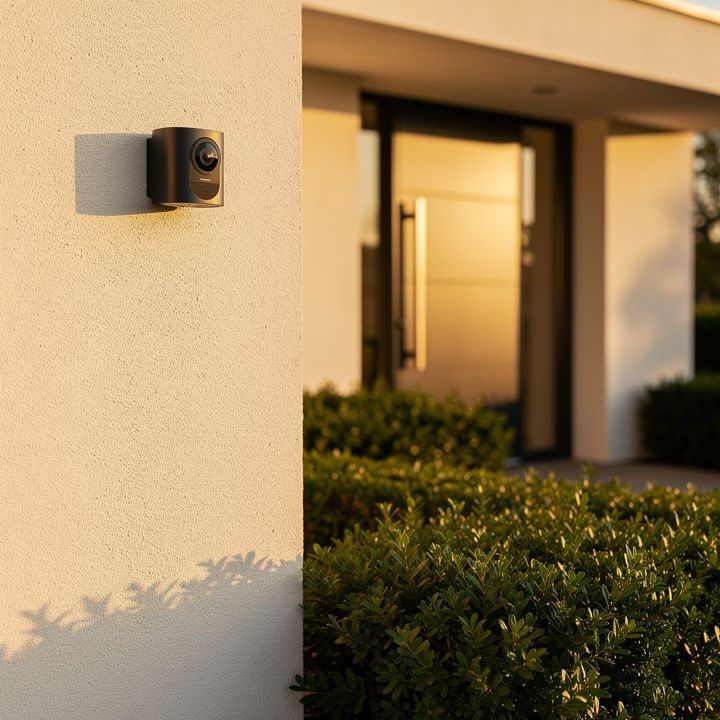
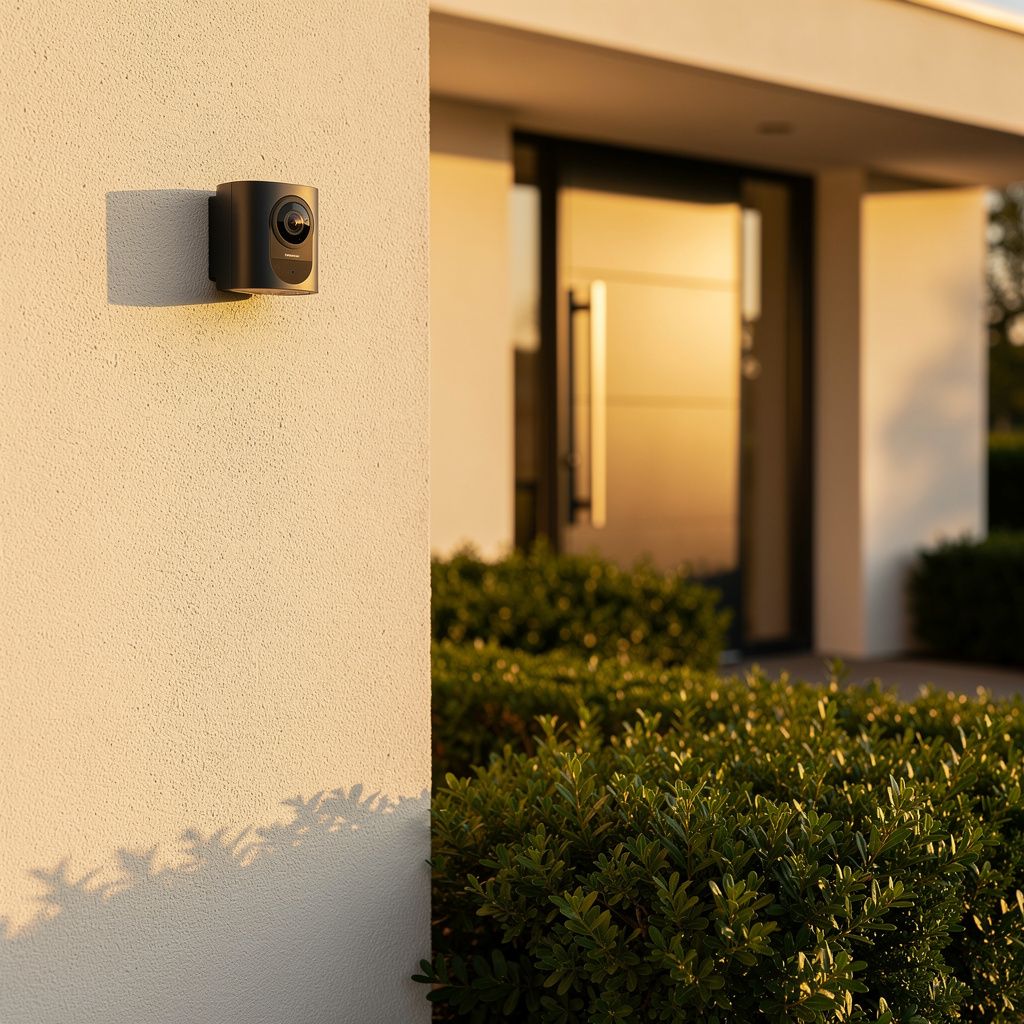
Outdoor Cameras withstand environmental conditions including rain, wind, and temperature fluctuations. They feature weatherproof housings, enhanced night vision for exterior monitoring, and wider viewing angles. Outdoor cameras typically have higher price points due to durability requirements.
Doorbell Cameras replace standard doorbells while providing video monitoring. They capture footage of visitors and package deliveries, offering convenience and security at entry points. These devices often include motion detection and two-way communication features.
PTZ Cameras (Pan-Tilt-Zoom) offer motorized movement and zoom capabilities, allowing remote adjustment of viewing angles. These professional-grade systems provide flexibility for monitoring large areas but require more technical setup.
Current Trends in Home Security Camera Technology
The home security camera market continues evolving with technological advancements. Artificial intelligence integration enables intelligent motion detection that distinguishes between people, animals, and vehicles, reducing false alerts. Cloud storage solutions provide off-site backup and accessibility, though privacy considerations remain important. Smart home integration allows cameras to work seamlessly with other devices, triggering lights or locks based on detected activity. High-resolution 4K cameras are becoming more affordable, offering clearer detail for identification purposes. Battery-powered wireless cameras with extended runtime are expanding options for renters and properties without convenient power sources.
Essential Camera Features to Evaluate
When examining home security cameras, several technical specifications warrant careful consideration.
Resolution determines image clarity and detail. Standard HD provides 1080p resolution, while 2K and 4K options offer increasingly detailed footage. Higher resolution enables better identification of faces and license plates but requires more storage capacity.
Night Vision capabilities vary between models. Infrared (IR) technology provides black-and-white night vision, while advanced models use color night vision technology. Effective night vision extends monitoring capabilities during darkness hours.
Field of View indicates the area a camera can observe. Standard views range from 90 to 110 degrees, while wide-angle lenses extend to 150+ degrees. Narrower views provide better detail of specific areas, while wider views cover larger spaces.
Motion Detection triggers recording or alerts when movement is detected. Advanced systems use AI to recognize specific object types, reducing false alarms from pets or weather conditions.
Storage Options include local storage on DVR/NVR devices, cloud storage subscriptions, or hybrid approaches. Each method involves trade-offs regarding accessibility, privacy, and ongoing costs.
Audio Capabilities range from simple sound recording to two-way audio communication. Two-way audio allows homeowners to speak through cameras, useful for interacting with visitors or deterring intruders.
Smart Home Integration enables cameras to work with platforms like voice assistants, lighting systems, and door locks. Integration capabilities vary significantly between manufacturers and systems.
Comparison of Camera System Types
| System Type | Installation Complexity | Initial Cost | Ongoing Costs | Flexibility |
|---|---|---|---|---|
| Wired System | High | High | Low | Low |
| Wireless System | Low | Medium | Medium | High |
| Cloud-Based | Low | Low | High | High |
| Hybrid System | Medium | High | Medium | High |
| DIY Kit | Low | Medium | Low | Medium |
Selecting the Right Security Camera System
Choosing an appropriate system requires assessing several factors specific to your property and needs.
Property Assessment begins with evaluating your home's layout, entry points, and vulnerable areas. Identify locations requiring monitoring—front doors, back patios, driveways, or perimeter areas. Consider the distance from your router for wireless systems and available power sources for wired installations.
Budget Considerations extend beyond initial camera costs. Account for installation expenses, storage subscriptions, maintenance, and potential equipment replacement. Determine whether your budget accommodates a comprehensive system or requires a phased approach.
Scalability Planning ensures your system can expand as needs evolve. Choose platforms and manufacturers that support adding cameras without replacing existing infrastructure.
Integration Requirements should align with your existing smart home ecosystem. Verify compatibility with platforms you currently use or plan to adopt.
Storage Strategy impacts long-term functionality. Evaluate whether local storage, cloud subscriptions, or hybrid approaches best serve your needs and privacy preferences.
Installation and Setup Best Practices
Proper installation ensures optimal camera performance and coverage.
- Mount cameras at heights that prevent tampering while maintaining clear viewing angles
- Position cameras to minimize glare from sunlight or artificial lighting
- Ensure adequate wireless signal strength for wireless systems, or plan cable routes for wired installations
- Test field of view and adjust angles before finalizing mounting
- Secure cables and connections to prevent weather damage or interference
- Configure motion detection settings to balance sensitivity with false alarm reduction
- Establish regular maintenance schedules including lens cleaning and software updates
- Document camera locations and viewing angles for reference
Practical Tips for Camera System Optimization
Maximizing the effectiveness of your security camera system involves ongoing attention and adjustment.
Regular maintenance preserves image quality and system reliability. Clean camera lenses monthly to remove dust, pollen, and moisture that degrade image clarity. Check mounting hardware for looseness and tighten as needed. Update firmware regularly to access new features and security patches. Test recording functionality monthly to ensure systems are capturing footage properly.
Motion detection optimization reduces false alerts while maintaining security. Adjust sensitivity settings based on environmental factors—higher sensitivity for low-traffic areas, lower sensitivity for areas with frequent movement. Use advanced features like person detection when available to distinguish relevant activity from weather or animal movement.
Storage management prevents system slowdowns and ensures footage availability. Establish retention policies determining how long footage is stored. Monitor storage capacity and upgrade when approaching limits. Use tiered storage approaches, keeping recent footage locally accessible while archiving older footage to cloud services.
Privacy considerations deserve attention despite security benefits. Inform household members and visitors about monitoring. Avoid pointing cameras toward neighboring properties. Review access permissions regularly, ensuring only authorized individuals can view footage.
Security Camera System Selection Checklist
- Assess property layout and identify priority monitoring areas
- Determine budget range including installation and ongoing costs
- Evaluate wired versus wireless system suitability for your property
- Check resolution requirements based on identification needs
- Verify night vision capabilities for after-hours monitoring
- Confirm smart home integration compatibility
- Review storage options and associated costs
- Assess installation complexity and professional service needs
- Research manufacturer support and warranty coverage
- Plan for system expansion and scalability
- Consider privacy implications and notification requirements
- Test equipment in your environment before final purchase
Frequently Asked Questions About Home Security Cameras
What resolution do I need for home security cameras? For general property monitoring and deterrence, 1080p (HD) resolution is adequate. For identification purposes—recognizing faces or reading license plates—2K or 4K resolution provides better detail. Consider your specific needs and storage capacity when selecting resolution.
How long does security camera footage typically remain stored? Storage duration depends on your system's capacity and settings. Local storage systems might retain 7-30 days of continuous footage. Cloud storage subscriptions often provide 24-30 days of retention. You can adjust retention policies based on your needs and storage availability.
Do security cameras work without internet connection? Wired systems with local storage (DVR/NVR) function without internet, though remote access requires connectivity. Wireless cameras and cloud-based systems require internet for operation and remote viewing. Consider your internet reliability when selecting system types.
Can I install security cameras myself, or do I need professional installation? Wireless and DIY systems are designed for self-installation and require minimal technical expertise. Wired systems typically benefit from professional installation due to cable routing and power requirements. Assess your comfort level with technical projects before deciding.
What privacy considerations should I address with security cameras? Inform household members and visitors about monitoring. Avoid pointing cameras toward neighboring properties or windows. Review access permissions regularly. Understand your local regulations regarding surveillance and recording audio. Consider privacy-focused storage options and access controls.
How do I choose between wired and wireless security cameras? Wired systems offer reliability and consistent power but require professional installation. Wireless systems provide flexibility and easier installation but depend on Wi-Fi connectivity and battery management. Consider your property layout, technical comfort level, and long-term plans when choosing.
Conclusion
Home security cameras represent an important investment in residential safety and peace of mind. Understanding the various types, features, and considerations helps homeowners make informed decisions aligned with their specific circumstances. From basic single-camera setups to comprehensive multi-camera systems, options exist for virtually every property and budget. By carefully assessing your needs, evaluating available technologies, and following installation best practices, you can implement a security solution that provides meaningful protection and monitoring capabilities. Regular maintenance and optimization ensure your system continues delivering value over time. Whether your priority is deterrence, evidence documentation, or continuous monitoring, home security cameras offer practical tools for enhancing residential security.